Best Free Project Management Tools 2026
Genuinely free. Not 14-day trials, not free plans that expire, not freemium traps that hide every useful feature behind a paywall. I tested all seven of these myself and these are the tools that actually let you manage projects without paying.
7 Best Free Project Management Tools in 2026
Every tool below has been reviewed against the same criteria. The free plan must be permanent, the core PM features must be available without paying, and the user and project limits must be clearly stated. No surprises.
ClickUp's Free Forever plan is the most generous on this list. Unlimited users, unlimited tasks and unlimited projects with no time limit. It includes multiple views (list, board, calendar), collaborative docs, basic automations and time tracking. The main catches are 100MB storage and a lifetime cap on certain features like automations and custom fields. For individuals and small teams who do not generate heavy file attachments, it is hard to beat.
- Unlimited users and tasks on free
- Multiple views including board and calendar
- Collaborative docs included
- Time tracking on free plan
- Generous feature set vs competitors
- 100MB storage fills up fast
- Automations have a lifetime cap, not monthly
- Steep learning curve. Lots of features.
- Gantt view requires paid plan
Trello is the easiest entry point into project management software. Its Kanban board is the most intuitive on the market. Drag, drop, done. The free plan gives you unlimited cards across up to 10 boards with up to 10 collaborators and 250 automation commands per month. There are no timeline or calendar views on free (those require Premium at $10/user/month), but for straightforward task tracking it remains one of the best free options available in 2026.
- Fastest setup of any PM tool
- Unlimited cards and templates
- 250 automation runs per month on free
- Intuitive drag-and-drop interface
- 100+ free templates available
- Only 10 boards on free plan
- Max 10 collaborators
- No timeline or calendar view on free
- Only 1 Power-Up per board on free
Asana's free plan is one of the most capable for structured team collaboration. You get unlimited tasks and projects across up to 15 users, with both list and board views. It does not include timeline view, dashboards or automation rules. Those require the Starter plan at $10.99/user/month. But for teams that primarily need task assignment, deadlines and status tracking, the free tier handles it well without forcing an upgrade.
- Unlimited tasks and projects on free
- Up to 15 users. Most generous team limit.
- List and board views included
- Strong task assignment and deadline tools
- 100+ integrations on free plan
- No timeline view on free plan
- No automation rules on free
- Hard 15-user cap. Cannot add a 16th.
- Reporting locked to paid plans
Notion is not a traditional project management tool. It is an all-in-one workspace that combines documents, databases, wikis and task boards. For teams that need both a knowledge base and task tracking in a single place, it is unmatched at the free tier. The free plan gives individuals unlimited pages and blocks. The main limitation is that it is best suited for personal or solo use on the free plan. Collaborative features and file uploads scale with paid tiers.
- Replaces docs, wikis and task tools in one
- All database views on free (Kanban, table, calendar)
- Unlimited pages and blocks
- 10,000+ free community templates
- Powerful relational database features
- Steep learning curve to set up properly
- 5MB file upload limit on free
- Only 7 days of page history
- Better for solo use than team collaboration on free
Jira's free plan is purpose-built for agile software teams. Up to 10 users get access to full Scrum and Kanban boards, backlog management, sprint planning, roadmaps and 2GB of storage. It is the most powerful free option for development teams, but it is complex and the learning curve is significant. For non-technical project managers, ClickUp or Asana are easier starting points. For agile software teams, Jira free is hard to beat.
- Full Scrum boards and sprint planning on free
- Backlog management included
- 2GB storage. Most generous on this list.
- Roadmaps available on free
- Deep GitHub and dev tool integrations
- Hard 10-user cap on free plan
- Very steep learning curve
- Designed for dev teams. Overkill for others.
- Complex configuration to set up properly
Airtable sits between a spreadsheet and a project management tool. If your team is comfortable in Excel or Google Sheets but needs something more structured, Airtable's grid, Kanban, calendar and gallery views give you database-level control over your projects. The free plan supports unlimited bases with up to 1,000 records per base and 5 editors, enough for small teams running structured workflows.
- Feels like a supercharged spreadsheet
- Multiple views on free (grid, Kanban, calendar)
- Flexible field types and custom views
- Strong for data-heavy project tracking
- 1,000 record cap per base. Fills up fast.
- Only 5 editors on free plan
- Not ideal for traditional task management
- Automations locked to paid plans
Zoho Projects is a traditional project management tool with Gantt charts, task dependencies and issue tracking, and it offers all of this on a free plan for up to 3 users across 2 projects. It is more limited than others on this list in terms of user and project count, but it is the only tool here that gives you a proper Gantt chart at the free tier. For solo PMs or pairs working on structured projects, it is worth considering.
- Gantt charts on free. Unique on this list.
- Task dependencies included
- Traditional PM feel. Familiar for certified PMs.
- Issue tracking built in
- Only 3 users and 2 projects on free
- Very limited storage (10MB)
- Less intuitive than ClickUp or Trello
- Upgrade required for anything beyond basics
Free Plan Comparison: 2026
Every free plan on one table. Use this to find the tool that matches your team size and feature requirements before signing up.
| Tool | Max Users | Projects | Gantt | Automations | Storage | Best for |
|---|---|---|---|---|---|---|
| ClickUp | Unlimited | Unlimited | No | 100 lifetime | 100MB | Most features free |
| Trello | 10 | 10 boards | No | 250/month | Unlimited | Simplicity |
| Asana | 15 | Unlimited | No | None | Unlimited | Small teams |
| Notion | 10 guests | Unlimited | No | None | 5MB uploads | Docs + tasks |
| Jira | 10 | Unlimited | No | Limited | 2GB | Agile / dev teams |
| Airtable | 5 | Unlimited | No | None | 1GB | Spreadsheet-style |
| Zoho Projects | 3 | 2 | Yes | None | 10MB | Solo / Gantt |
How to Choose the Right Free PM Tool
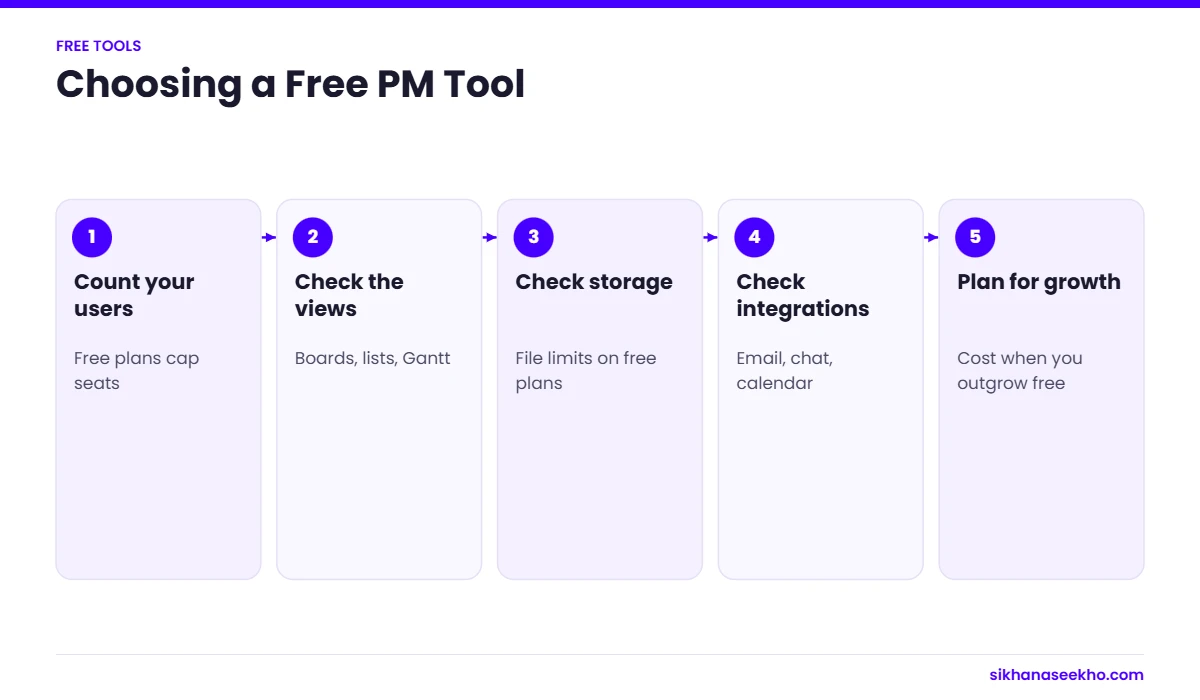
The best free project management tool depends on your team size, how you work and which features you actually need. Here is a quick decision guide. I use this same logic when students ask me which tool to start with.
You are a solo PM or freelancer
You need task tracking, a view or two, and maybe some docs. You do not need user management or team limits.
You have a small team (2 to 15 people)
You need shared task lists, assignments and deadlines. Team size matters for which tool fits.
You are running an agile / software team
You need sprint boards, backlogs and Scrum ceremonies. You are likely a dev team.
You need a Gantt chart for free
You want to see a visual project timeline without paying. This is the rarest free feature.
You want the simplest possible tool
You need to get started in 5 minutes and do not want to configure anything.
You want docs and tasks in one place
Your team creates a lot of written content, SOPs or wikis alongside project tasks.