Certifications PMP CertificationWorld’s top PM cert CSM — Certified ScrumMasterTop agile cert CAPMEntry-level PM cert PRINCE2UK & Europe standard View All Certifications ?
PM Guides Agile GuideComplete breakdown Scrum GuideRoles, ceremonies, artifacts EVM GuideAll formulas explained View All Guides ?
Career & Salary PM Salary 2026By country & level How to Become a PMStep-by-step roadmap 50 Interview QuestionsWith strong answers
PM Software Monday.com ReviewTop pick 2026 ClickUp ReviewBest value Best Free PM ToolsNo trials, truly free View All Software ?
Free Tools & Templates EVM CalculatorFree, no signup Gantt Chart MakerBuild & export free PMP Eligibility Checker30-second result Free PM Templates30 templates — Excel, Word, PDF
Get the Free PMP Guide ?
Software Guide · Updated March 2026

Best Microsoft Project
Alternatives 2026

Microsoft Project starts at $30/user/month, requires training to use effectively and was designed for a world where project teams sat in the same building. In 2026, most teams have better options — cloud-native, collaborative and a fraction of the price. This guide covers the eight best alternatives with honest comparisons and migration advice for each.

8
Alternatives Reviewed
$30
MS Project Plan 3/mo
$0
Best Free Alternative
$9
Best Paid Alternative
01 — The Problem

Why Teams Are Leaving Microsoft Project

Microsoft Project has been the reference standard for professional project scheduling since 1984. Its Gantt chart, resource levelling and critical path capabilities are still genuinely excellent. But the product was designed for a desktop-first, single-user-edits-the-file world — and its architecture shows it.

Cost — $30/user/month is hard to justify
Project Plan 3 costs $30/user/month, billed annually ($360/year per user). A 10-person team pays $3,600/year for project management software that competes with tools costing $100–$120/year per user. For organisations not using the advanced resource management features, this is difficult to justify at budget renewal time.
Collaboration — real-time editing requires Project Online
The desktop .mpp file model creates instant version control problems on collaborative teams. Multiple people cannot edit simultaneously. The cloud solution — Project Online — requires additional configuration, licences and IT support to set up properly. Most teams end up emailing .mpp files, which recreates the exact problem cloud tools solve.
Learning curve — specialist knowledge required
MS Project's full feature set — resource calendars, baseline management, EVM tracking, custom fields, project templates — requires significant training to use effectively. Team members who are not the project manager cannot engage with the schedule meaningfully. The result: the PM maintains the schedule, everyone else ignores it.
Mobile — barely functional on phones and tablets
MS Project's mobile experience is a viewer, not a manager. Team members cannot update task status, log time or flag issues from their phones in any meaningful way. In a hybrid/remote working environment where people need to update project tools from multiple devices, this is a significant usability gap.
Stakeholder reporting — exporting to PowerPoint every time
MS Project has no native stakeholder-facing dashboard. Producing a project status report from MS Project data requires exporting to Excel or PowerPoint, reformatting and distributing — a process that most PMs repeat weekly. Cloud-native alternatives produce shareable, live dashboards that eliminate this manual step entirely.
Integration — limited ecosystem outside Microsoft 365
MS Project integrates well with the Microsoft 365 stack but poorly with the broader SaaS ecosystem. Connecting it to Slack, Salesforce, GitHub, Zendesk or almost any non-Microsoft tool requires middleware (Power Automate or Zapier) and custom configuration. Cloud-native PM tools have these integrations natively.

What MS Project Still Does Better Than Anything Else

Before listing alternatives, it is worth being honest about what MS Project does that most alternatives do not fully replicate: resource levelling (automatically resolving over-allocation across the schedule using calendars, priorities and resource pools); earned value management (native EVM reporting including CPI, SPI, EAC and TCPI from the schedule); complex dependency types (finish-to-start, start-to-start, finish-to-finish, start-to-finish with lag and lead); and multi-project master scheduling (linking sub-projects into a master schedule with shared resource pools). If your team actively uses these features — not just has access to them — you are in the minority and you should choose your alternative carefully.

Microsoft Project Pricing — What You're Paying Now
Project Plan 1
$10/user/month
Web only — limited Gantt, no resource management, no desktop app
Project Plan 3
$30/user/month
Full desktop + web, resource management, roadmaps — what most teams mean by "MS Project"
Project Plan 5
$55/user/month
Portfolio management, demand management, enterprise resource planning
Planner (M365)
Included in M365
Not a Project replacement — Kanban + basic timeline only, no Gantt, no dependencies
02 — The Alternatives

The 8 Best Microsoft Project Alternatives

#2 Pick
Monday.com
Most visual — best dashboards in the category
4.4
Out of 5
From $9/seat/mo 7 Views Timeline ✓ Cross-board Dashboards 3-seat minimum
Monday.com is the strongest alternative for teams that want portfolio-level visibility and visual stakeholder reporting. Its cross-board dashboards aggregate data from any number of projects into a single live view — significantly better than MS Project's reporting for executive audiences. The Gantt view (Timeline) is clean and functional. It lacks the scheduling depth of MS Project or Smartsheet but more than compensates with usability and collaboration speed.
Strengths
Best portfolio dashboards in category
7 views including Timeline and Gantt
Free unlimited guest access (paid plans)
Most intuitive for non-PM stakeholders
250+ native integrations
Limitations
3-seat minimum — expensive for small teams
Limited dependency types (FS only)
No native resource levelling
Workload view on Pro plan only ($19/seat)
Migration
Import via Excel/CSV export from MS Project
Rebuild views in Monday — 1–2 days
Migration effort: Medium
#3 Pick
Asana
Best onboarding — fastest team adoption
4.3
Out of 5
Free tier (10 users) Timeline / Gantt Task Dependencies Portfolio (Advanced) Asana AI
Asana is the easiest-to-adopt alternative for teams transitioning from MS Project who have mixed technical capability. Non-technical team members can update task status, log comments and track deadlines without any training. The Timeline view provides Gantt-style scheduling with dependencies. The Advanced plan adds portfolio management and workload capacity planning — covering most of what mid-level MS Project users need.
Strengths
Fastest team onboarding of any tool here
Timeline with dependencies from Starter plan
Genuinely useful free plan (10 users)
No seat minimum on any plan
Asana AI on Starter+ reduces admin overhead
Limitations
No resource levelling
Portfolio management requires Advanced ($24.99)
Gantt less powerful than Smartsheet or MS Project
Limited time tracking natively
Migration
CSV import from MS Project export
Asana Academy onboarding — 45 mins
Migration effort: Low–Medium
#4 Pick
Wrike
Enterprise-grade — best for formal PM governance
4.2
Out of 5
Free tier available Gantt + Critical Path Resource Management Time Tracking native From $9.80/user/mo
Wrike is the most feature-complete alternative for enterprise project management teams that need formal governance, compliance-grade audit trails and deep customisation. Its Gantt chart is excellent, critical path is built in, and resource management with capacity planning is available from the Business plan. Wrike's approval workflows and proofing tools are best-in-class for creative and agency teams. The trade-off is a complex interface — closer to MS Project in onboarding effort than any other tool on this list.
Strengths
Critical path analysis built in
Native time tracking — no add-on needed
Approval workflows and proofing
Enterprise security and compliance
Resource management with capacity view
Limitations
Interface complexity rivals MS Project
Business plan ($24.80/user) for full PM features
Steeper learning curve than Asana or Monday
Mobile app weaker than competitors
Migration
MS Project import via .xlsx export
Plan for 1–2 weeks admin setup
Migration effort: Medium–High
#5 Pick
ClickUp
Most features — best value for money
4.1
Out of 5
Free forever (unlimited users) 15+ Views Gantt ✓ Time Tracking ✓ $7/user/mo
ClickUp offers the widest feature set of any tool at this price point — 15+ views, native time tracking, Gantt charts, resource management, goals, OKRs, docs, whiteboards and AI writing tools all included. The free plan is the most generous in the category (unlimited users and most features). The risk is option paralysis: ClickUp can be configured in so many ways that teams struggle to settle on a structure. It rewards dedicated setup time but frustrates teams that want something working in an hour.
Strengths
Best free plan — unlimited users, most features
Gantt with dependencies and critical path
Native time tracking built in
Goals, docs and whiteboards included
Most features per dollar of any tool here
Limitations
Option overload — overwhelming initial setup
Inconsistent feature polish across views
Notification system needs manual tuning
Performance slows on very large workspaces
Migration
Direct MS Project import (.mpp or .xlsx)
Use a template to avoid setup overwhelm
Migration effort: Medium
#6 Pick
Teamwork
Built specifically for client-facing project delivery
4.0
Out of 5
Free (5 users) Gantt + Dependencies Time Tracking Client Billing From $13.99/user/mo
Teamwork is designed specifically for agencies, consultancies and professional services firms that manage client-facing projects with billable time. Its combination of Gantt charts, built-in time tracking, client portals, invoicing and budget tracking against client contracts makes it uniquely suited to this use case. For internal teams without client billing requirements, it offers less differentiation from Asana or Monday at a higher price point.
Strengths
Built-in time tracking + client billing
Client portal — external stakeholder access
Gantt with full dependencies
Budget vs actuals tracking per project
Resource scheduling and utilisation reports
Limitations
More expensive than Asana/Monday equivalents
Less value for internal non-billable teams
Smaller integration ecosystem than Monday
UI less polished than top-tier competitors
Migration
Import via CSV export from MS Project
Set up billing rates before importing tasks
Migration effort: Medium
#7 — Enterprise
Oracle Primavera P6
Industrial-strength — for major infrastructure programmes
4.3
Out of 5
Enterprise pricing only Critical Path ✓✓ Resource Levelling ✓✓ EVM Native Specialist training req.
Primavera P6 is not cheaper or easier than MS Project — it is more powerful and more complex. It is the industry standard for major infrastructure, construction, oil and gas, defence and engineering programmes. If you are running projects measured in hundreds of millions of pounds with thousands of activities, resource pools of hundreds of people and contractual EVM reporting requirements, Primavera is the correct tool and there is no credible alternative. If that does not describe your work, this is not the right section of this list for you.
Strengths
Most powerful CPM scheduling available
Native EVM with all ANSI/EIA-748 metrics
Resource levelling across resource pools
Industry standard in construction and defence
Limitations
Very steep learning curve — certified training needed
Enterprise pricing only — no self-serve
Poor collaboration and stakeholder UX
Primarily a scheduler, not a team tool
Migration
P6 imports from MS Project natively
Plan for specialist P6 admin setup
Migration effort: High
Free Option
Excel Gantt Chart Template
Free, offline and completely under your control
3.6
Out of 5
100% Free No account required Works offline No data sent anywhere
For project managers who need a functional Gantt chart without a SaaS subscription, a well-built Excel template remains a serious option. Our free Gantt Chart template includes conditional formatting for progress bars, milestone markers, colour-coded status, a summary dashboard and formula-driven date calculations. It does not offer real-time collaboration — but for a solo PM who controls the schedule and distributes it as a PDF or shared SharePoint file, it handles 80% of what most teams actually need from a Gantt chart.
Strengths
Completely free — no subscription
Works offline — no internet dependency
No data governance concerns
Customise anything without permission
Familiar to every professional
Limitations
No real-time collaboration
No automated dependency management
Manual updates — version control risk
No notifications or team assignments
Migration
Export MS Project schedule to Excel
Copy dates and tasks into template
Migration effort: Low (30–60 mins)
03 — Feature Matrix

Full Feature Comparison Matrix

Every key feature across all alternatives compared against MS Project. ✓ = native, ✗ = not available, ⚡ = available with limitations or on higher plan.

FeatureMS ProjectSmartsheetMondayAsanaWrikeClickUp
Starting price$30/user/mo$9/user/mo$9/seat/moFree–$10.99Free–$9.80Free–$7
Gantt chart⚡ Starter+
Task dependencies⚡ FS only⚡ Starter+
Critical path⚡ Business+
Resource management⚡ Business⚡ Pro⚡ Advanced⚡ Business⚡ Business
Resource levelling
Baseline tracking⚡ Business⚡ Business
EVM / earned value⚡ Manual setup
Portfolio management⚡ Plan 5⚡ Business⚡ Pro⚡ Advanced⚡ Business⚡ Business
Real-time collaboration⚡ Online only
Native time tracking⚡ Pro⚡ Advanced
Free plan⚡ 2 users⚡ 10 users⚡ Limited✓ Unlimited
Mobile app quality⚡ View only⚡ OK
⚠️
Resource levelling gap: None of the cloud-native alternatives listed above support automatic resource levelling — the MS Project feature that automatically resolves resource over-allocation by rescheduling tasks within defined constraints. If your team actively uses this feature, your migration options are limited to Primavera P6 (more complex, more expensive) or accepting a manual process in your chosen cloud tool. For most teams, however, true resource levelling in MS Project was aspirational rather than routine — check whether your team actually uses it before treating it as a dealbreaker.
04 — Migration

Migration Effort — What It Actually Takes to Switch

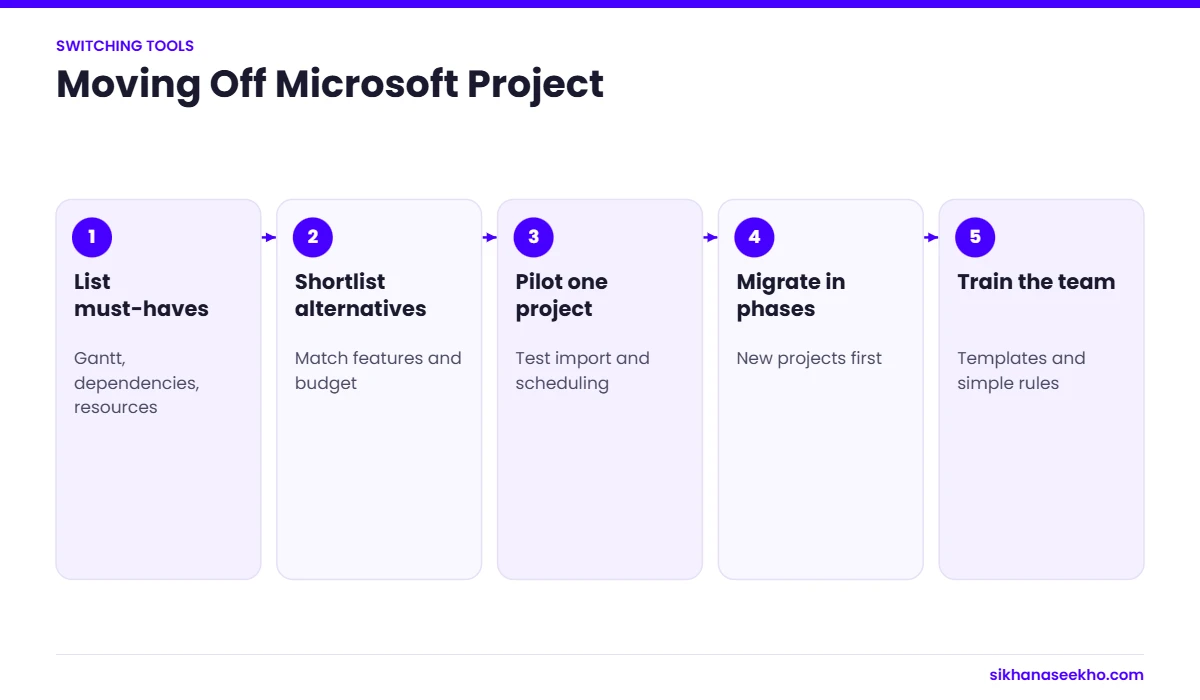
The migration effort varies considerably by tool and by how deeply MS Project is embedded in your workflows. A team using MS Project primarily for Gantt charts and milestone tracking can migrate to Smartsheet or Asana in a day. A team with complex resource pools, baseline management and EVM reporting should plan for a week or more.

AlternativeImport MethodData PreservedEffortRetraining Time
SmartsheetDirect .mpp importTasks, dates, dependencies, resources, notesLowHalf day — familiar grid layout
ClickUpDirect .mpp importTasks, dates, assignees, attachmentsMedium1–2 days — many options to configure
AsanaCSV from MS Project exportTasks, dates, assignees, notesLowUnder 1 day — fastest onboarding
Monday.comExcel/CSV importTasks, dates, status — rebuild views manuallyMedium1–2 days including dashboard setup
WrikeExcel/CSV importTasks, dates, assignees — workflows rebuilt manuallyHigh1–2 weeks including admin configuration
Primavera P6Native .mpp importFull schedule, resources, calendars, EVMHigh2–4 weeks — specialist training required
Excel TemplateManual copy from .xlsx exportTasks and dates — manual rebuildLow30–60 minutes

Migration Tips — What Every Team Should Do Before Switching

1. Audit your actual MS Project usage before choosing an alternative. Export your most complex project and identify which features you used: Gantt only, or also resource pools, baselines and EVM? Most teams use fewer MS Project features than they think. 2. Run both tools in parallel for 2–4 weeks on a new project before fully decommissioning MS Project. Discovering that your chosen alternative cannot handle a specific workflow two months into migration is expensive. 3. Export all historical .mpp files to PDF and CSV before cancelling licences — you will need to reference them and MS Project files become inaccessible once the licence expires. 4. Budget for one-time setup time even for low-effort migrations — no tool is zero-effort, and underestimating setup causes team frustration that kills adoption.

05 — Free Options

Best Free Microsoft Project Alternatives

If budget is the primary driver, several genuinely free options handle most PM use cases without a subscription. Here are the best, ranked by capability.

1. ClickUp Free — Best Overall Free Option

ClickUp's free plan is the most generous in the category: unlimited users, Gantt charts, 15+ views, time tracking and goals — all free. The limitation is 100MB storage and a cap on some automation runs. For a team of any size that can work within these constraints, ClickUp free is the strongest MS Project alternative at zero cost.

2. Our Free Excel Gantt Chart Template

The free Gantt Chart Excel template provides a formatted, formula-driven Gantt bar chart with progress tracking, milestone markers and a project summary panel. No account, no cloud dependency, no recurring cost. For teams that primarily need a schedule they can distribute as a PDF or share via SharePoint, this covers the core need without any subscription overhead.

3. GanttProject — Free Desktop App

GanttProject is a free, open-source desktop application with Gantt charts, resource management, critical path analysis and export to MS Project format (.mpx). It is the closest free equivalent to the MS Project desktop application for offline use. The interface is dated but functional. Import from MS Project .mpx files is supported — useful for teams transitioning off MS Project who need to keep working with historical schedules.

4. Microsoft Planner — If You Already Have M365

If your organisation has a Microsoft 365 Business or Enterprise subscription, Microsoft Planner is included at no additional cost and now includes a basic Gantt / timeline view (upgraded via Microsoft Planner Premium, which replaced Project Plan 1 in some M365 bundles). Planner is not a Project replacement — it has no task dependencies, no critical path and no resource management — but it is free, familiar and sufficient for teams that only need task boards and simple timeline views.

💡
The honest free option answer: If you need a real Gantt chart with dependencies and you are not paying for anything, ClickUp free is your best option. If you need a schedule you can print and share without any cloud tool, use the free Excel Gantt template. If you are already paying for Microsoft 365, check whether Planner Premium is included in your plan before paying for anything else — it may cover your basic needs for free.
06 — FAQ

MS Project Alternatives — FAQ

The best free MS Project alternative depends on your needs. For a full cloud PM tool with Gantt, ClickUp's free tier is the most feature-complete option (unlimited users, Gantt charts, time tracking). For a downloadable Gantt chart you can use offline and share as a file, the free Excel Gantt Chart template requires no account and no internet. For teams already on Microsoft 365, Microsoft Planner (now including basic timeline view) is included in most M365 subscriptions. GanttProject is a free open-source desktop app that imports MS Project files if you need to continue working with existing .mpp data.
The most common reasons: high cost ($30/user/month for Plan 3), the file-based model that makes collaboration hard, steep learning curve limiting team adoption, poor mobile experience, manual reporting workflows (exporting to PowerPoint for every status update), and limited integration with non-Microsoft tools. Most cloud alternatives offer better real-time collaboration, faster onboarding, better mobile apps and live stakeholder dashboards at 30–70% lower cost. The main reason teams stay is deep familiarity with MS Project's Gantt and resource levelling capabilities, or Microsoft 365 ecosystem compliance requirements.
Smartsheet is the closest like-for-like MS Project replacement for most use cases. It offers Gantt charts with dependencies, critical path, resource management, baseline tracking and portfolio dashboards in a cloud-native interface. It lacks MS Project's resource levelling (auto-resolve over-allocation) and native EVM reporting — but for 90% of teams these are features they do not actually use regularly. Smartsheet Pro starts at $9/user/month versus MS Project Plan 3 at $30 — and migration from MS Project is straightforward via direct .mpp import.
No — Microsoft Project does not have a genuinely free version. Project Plan 1 starts at $10/user/month (web-only, limited features). Project Plan 3 at $30/user/month is the full product. Microsoft Planner — included in most M365 subscriptions — is not a Project replacement: it provides Kanban boards and a basic timeline view but lacks Gantt charts with dependencies, resource management and the scheduling depth of MS Project. If you need a free Gantt chart, see the free Excel Gantt template or ClickUp's free tier.