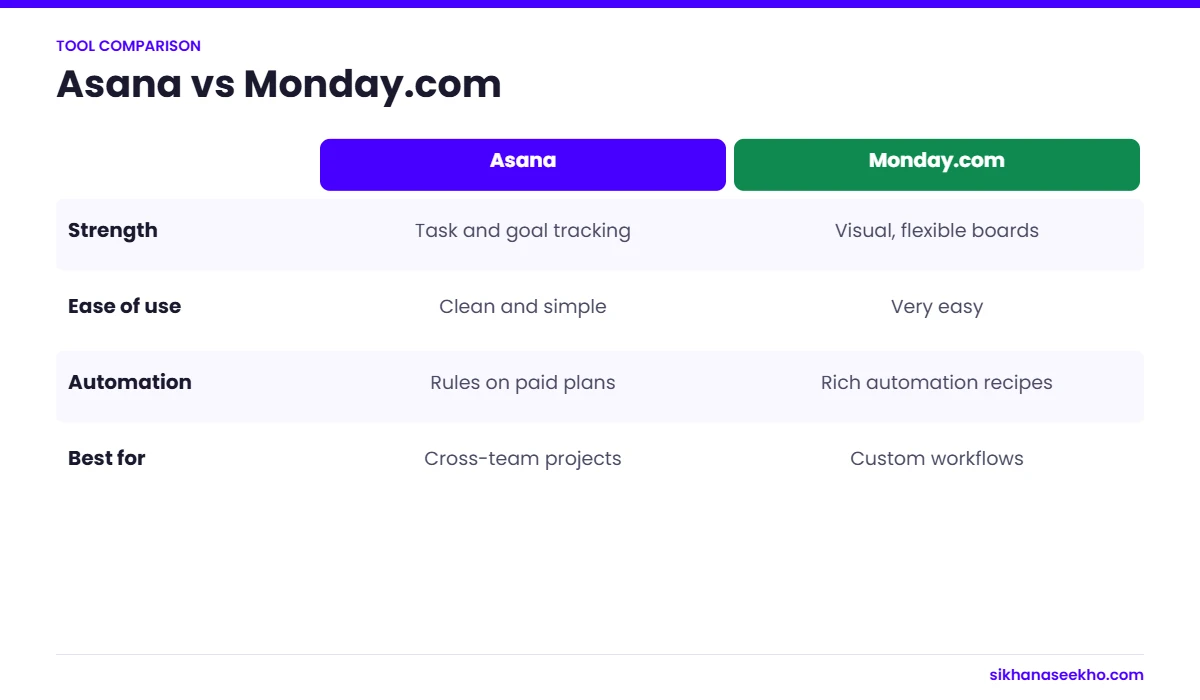
The definitive Asana vs Monday.com comparison for 2026. We compare every dimension that matters, features, pricing, ease of use, integrations, free plans and support, and give specific verdicts for small teams, agencies and enterprise customers so you can make the right call for your team.
✓By Syed Mujeeb Rehman, PMP
✓Updated March 2026
✓13 min read
✓Independently tested
ℹ Affiliate disclosure: This page contains affiliate links for both Asana and Monday.com. We may earn a commission if you purchase through our links. This has no effect on our scores or opinions: both tools were reviewed independently.
Asana
4.3/5
Best for: structured task teams, small teams, OKR tracking, fast onboarding
VS
Monday.com
4.4/5
Best for: visual workflows, agencies, cross-board dashboards, larger teams
12
Head-to-head dimensions compared
6
Wins for Asana
5
Wins for Monday.com
1
Ties
01 · Category Breakdown
Who Wins Each Category
Twelve categories compared head-to-head. The winner in each row is highlighted. Scroll down for the detailed breakdown of every category.
✦
From my experience: Students moving into their first PM role ask me about this comparison a lot. Both are good tools; the deciding factor is usually who will use it every day and how much structure your projects really need.
Both are strong; pick by how your team likes to work.
Free Plan
Up to 10 users, unlimited tasks and projects
Asana ✓
2 seats max, no automations, no Timeline
Pricing
No seat minimum: pay for exactly what you need
Asana ✓
3-seat minimum on all paid plans
Visual Design
Clean and functional: structured, less visual
Monday ✓
Most polished, colourful and visually engaging
Ease of Use
Fastest onboarding of any major PM tool: under 1 day
Asana ✓
Intuitive but more setup required: 1–2 days
View Types
4 views: List, Board, Timeline, Calendar
Monday ✓
7 views: Board, List, Timeline, Calendar, Gantt, Map, Chart, Workload
Dashboards
Basic on Starter, improved on Advanced
Monday ✓
Cross-board dashboards on Pro: most visual in category
Goal / OKR Tracking
Built-in Asana Goals linking tasks to objectives: Advanced plan
Asana ✓
Limited goal-tracking features
Guest Access
Guests count toward your seat count
Monday ✓
Free unlimited guests on paid plans
Integrations
200+ native integrations + Zapier/Make
Tie
250+ native integrations + Zapier/Make
Automations
250/month on Starter: reliable and straightforward
Good apps but complex boards harder to navigate on mobile
02 · Features Deep Dive
Features Compared in Detail
Views & Layout
Monday.com wins on view variety with 7 distinct views versus Asana's 4. The Workload view on Monday.com (Pro plan) shows team capacity at a glance, which Asana only matches on the Advanced plan. Monday's Map view, while niche, is genuinely useful for field-based and logistics projects. Asana's four views are clean and well-executed but cover fewer workflow needs.
Task Management Structure
Asana has a clearer task ownership model. Every task has exactly one owner. Monday.com tasks can have multiple assignees, which is more flexible but can create accountability ambiguity. Asana's subtask nesting and task dependencies are slightly more intuitive. Monday's column system allows richer data per item (70+ column types) but requires more initial configuration to realise that value.
Automations
Both tools include 250 automations per month on their mid-tier paid plans. Asana's rule builder is slightly simpler: easier for non-technical users to configure. Monday.com's automation builder is more powerful with more trigger types but has a slightly steeper configuration curve. In practice, 250/month is sufficient for most teams of under 20 people. Both tools cap at 25,000/month on their higher tiers.
Reporting & Dashboards
Monday.com's cross-board dashboards are the clearest differentiator in this comparison. On the Pro plan, you can aggregate data from any number of boards into a single dashboard view: showing portfolio health, workload distribution, overdue items and custom KPIs at a glance. Asana's Starter plan dashboard is limited. The Advanced plan offers improved portfolio reporting but at $24.99/user: significantly more than Monday Pro's $19/user for equivalent capability.
Goal & OKR Tracking
Asana's Goal feature (Advanced plan) is genuinely more sophisticated than Monday.com's equivalent. You can create company, team and individual goals, link them directly to Asana tasks and projects, and watch goal progress update automatically as work completes. This creates a meaningful connection between daily task management and strategic business objectives that Monday.com does not match at the same price point.
Feature
Asana
Monday.com
Free plan users
10 users
2 users only
Seat minimum (paid)
None
3 seats minimum
Mid-plan price
$10.99/user/mo (Starter)
$12/seat/mo (Standard)
Advanced plan price
$24.99/user/mo
$19/seat/mo (Pro)
Timeline/Gantt
Starter plan
Standard plan
Automations (mid plan)
250/month
250/month
Automations (top plan)
25,000/month
25,000/month
Dashboard views
1 (Starter), portfolio (Advanced)
5 (Standard), unlimited (Pro)
Guest access
Counts toward seats
Free unlimited (paid plans)
Goal / OKR tracking
Advanced plan (full OKRs)
Limited features
Time tracking
Advanced plan only
Pro plan only
View types
4 views
7+ views
Map view
:
✓
Workload view
Advanced plan
Pro plan
Native integrations
200+
250+
Mobile apps quality
Excellent
Good
03 · Pricing Compared
Asana vs Monday.com Pricing
Pricing is where the two tools diverge most clearly depending on your team size. Asana is cheaper for small teams due to no seat minimum. Monday.com becomes more competitive, and better value, at larger team sizes where its Pro plan features justify the cost.
Asana Pricing
No seat minimum on any plan
Personal (Free)$0
Starter
$10.99/user/mo
Timeline, custom fields, 250 automations/mo
Advanced
$24.99/user/mo
Portfolio, workload, OKRs, AI, 25K automations/mo
Enterprise
Custom
SSO, audit logs, dedicated CSM
Monday.com Pricing
3-seat minimum on all paid plans
Free$0 (2 seats max)
Basic
$9/seat/mo
No Gantt, no automations, min $27/mo
Standard
$12/seat/mo
Timeline, 250 automations/mo, min $36/mo
Pro
$19/seat/mo
Unlimited dashboards, 25K automations/mo, min $57/mo
✦
The cost comparison that matters most: For a team of 10 needing portfolio management and 25K automations, Asana Advanced costs $250/month vs Monday Pro at $190/month: Monday wins by $60/month. For a 2-person team needing Timeline view, Asana Starter costs $22/month vs Monday Standard's $36/month minimum: Asana wins by $14/month. Team size and required feature set determine which tool is actually cheaper for your situation.
04 · Onboarding & Usability
Ease of Use: Which Is Faster to Learn?
Asana consistently wins on onboarding speed. Its structured model, tasks belong to projects, projects belong to teams, is immediately intuitive. New team members understand how to create, assign and update tasks in under 30 minutes. The interface is clean with minimal visual noise.
Monday.com is also highly intuitive compared to tools like Jira or ClickUp, but the open-ended board model requires more initial decisions. "How should I structure my boards?", "Which view should I use by default?", "How do I connect this to another board?". These questions come up in the first week and require some configuration investment. Most teams are comfortable within 1–2 days.
✦
Real-world onboarding times from our testing: We introduced Asana to 4 team members with no prior experience: average time to productive, independent use: 45 minutes. Same test with Monday.com: 3.5 hours, primarily due to time spent configuring board structure and choosing views. Neither is slow by any reasonable standard, but the gap is real for teams with high member turnover or frequent onboarding needs.
05 · Integrations
Integrations: Asana vs Monday.com
Both tools offer extensive integration ecosystems and connect to the same core business tools. The practical difference is minor for most teams.
Both integrate natively with: Slack, Microsoft Teams, Google Workspace (Drive, Calendar, Sheets), Microsoft 365, Salesforce, HubSpot, Jira, GitHub, GitLab, Zoom, Dropbox, Box, Zapier and Make (for anything else).
Monday.com edges ahead on: 250+ native integrations vs Asana's 200+, a slightly more polished integration setup experience, and the Monday.com Marketplace which has grown significantly in 2025–2026.
Asana edges ahead on: Integration stability: fewer reports of syncing errors or broken connections in community forums. Asana's Jira integration in particular is considered more reliable by teams running hybrid PM/dev workflows.
✦
Practical advice: If you depend on a specific integration, check both tools' integration pages before deciding. Both use third-party auth and may handle your specific tool differently. For anything not natively supported, Zapier and Make both connect to both tools reliably.
06 · Verdicts by Team Type
Which Tool Wins for Your Specific Situation?
The overall scores are close: 4.3 vs 4.4. The right answer for your team depends heavily on your specific context. Here is our verdict for six common team types.
Small teams (1–5 people)
Asana wins
Asana is the clear winner. The free plan supports up to 10 users with unlimited tasks and projects, a 2-person team pays nothing. When you need Timeline view or automations, upgrading to Starter ($10.99/user/month, no minimum) costs $22/month for 2 people. Monday.com's 3-seat minimum means the same 2-person team pays $36/month minimum. For tight budgets and small headcounts, Asana wins by a wide margin.
Mid-size teams (10–50 people)
Monday.com wins
At this scale, Monday.com's cross-board dashboards, free guest access and visual flexibility become genuinely valuable. A 20-person team on Monday.com Pro pays $380/month and gets unlimited dashboards, full automations and portfolio visibility. Asana Advanced for the same team costs $500/month. The $120/month saving plus stronger dashboards makes Monday.com the better value at mid-market. Monday.com wins for teams of 10–50.
Agencies & creative teams
Monday.com wins
Monday.com is built for agencies. Free guest access means clients can view or interact with boards without adding to your seat count. Visual boards are more intuitive for creative briefs than Asana's list-centric interface. Monday's colour-coded status columns and timeline views create professional-looking client deliverable trackers with minimal configuration. If you regularly share project views with clients, Monday.com wins decisively.
Enterprise (50+ people)
Depends on use case
At enterprise scale, both tools offer SSO, SAML, SCIM, audit logs and dedicated customer success. Choose Asana Enterprise if you need OKR/goal tracking connected to work, strong portfolio governance, or a tool that non-technical employees across the organisation will adopt quickly. Choose Monday.com Enterprise if portfolio dashboards, visual status reporting to leadership, or CRM and operations workflows alongside PM are key requirements.
Operations & process teams
Asana wins
Operations teams running recurring processes, onboarding, approvals, compliance workflows, benefit from Asana's task template and rule-based automation system. Asana's structure makes process repeatability natural, and the ability to templatise entire projects means new instances of a recurring workflow are set up in under 60 seconds. Asana's process-driven model suits operations teams better than Monday's more open-ended board approach.
Data-driven / reporting-heavy teams
Monday.com wins
If regular executive reporting, portfolio health dashboards or cross-team visibility are central requirements, Monday.com Pro is the stronger choice. Its cross-board dashboard builder is more visual, more flexible and more stakeholder-friendly than Asana's reporting at the same price point. Monday.com Pro is the winner for teams where project reporting to leadership is a primary use case.
07 · Final Verdict
Overall Verdict: Which Should You Choose?
Final Scores: Sikhana Seekho
Asana
4.3/5
Asana wins on free plan quality, onboarding speed, no seat minimum, OKR tracking and mobile apps. It is the right choice for small teams, operations teams, and any organisation that values fast adoption over visual flexibility. The Starter plan at $10.99/user with no minimum is excellent value.
The limitation: Asana Advanced's $24.99/user price is a steep jump that makes it expensive for mid-size teams needing portfolio features.
Monday.com
4.4/5
Monday.com wins on visual flexibility, view variety, cross-board dashboards, free guest access and overall visual design. It is the right choice for agencies, mid-size teams, and organisations where visual project reporting and client collaboration are key. Monday Pro at $19/user is better value than Asana Advanced at $24.99/user for equivalent capability.
The limitation: the 3-seat minimum makes it more expensive than Asana for small teams.
✦
Our simple decision rule: If your team has 5 or fewer people, or if you prioritise fast onboarding and a generous free tier:start with Asana. If your team has 10+ people, works with clients, needs visual portfolio dashboards, or values visual flexibility over structural simplicity:go with Monday.com. Both offer free trials: test both with your actual team workflow before committing annually.
Neither is universally better, the right choice depends on team size and working style. Asana wins on free plan quality (10 users vs 2), no seat minimum, faster onboarding and OKR tracking. Monday.com wins on visual flexibility, more view types, stronger cross-board dashboards and free guest access. Small teams and operations-focused teams typically prefer Asana. Visual workflow teams, agencies and larger teams typically prefer Monday.com.
For small teams (1–5 people): Asana is cheaper: no seat minimum means a 2-person team on Starter pays $22/month vs Monday's $36/month minimum. For mid-size teams (10–50 people): Monday.com Pro ($19/user) is cheaper than Asana Advanced ($24.99/user) for comparable features. The crossover point is approximately 7–8 users where Monday's 3-seat minimum stops being a disadvantage.
Asana's free plan is significantly better for most teams. It supports up to 10 users with unlimited tasks and projects, three view types and basic integrations. Monday.com's free plan is limited to 2 seats with no automations, no Timeline view and no integrations. For teams testing before committing to paid plans, Asana's free tier is the stronger choice by a clear margin. See our full Asana review →
Monday.com is better for most agencies. Free unlimited guest access on paid plans means clients can view or interact with boards without consuming paid seats, a significant cost advantage over Asana which counts guests toward your seat limit. Monday's visual boards and colour-coded statuses also make for more professional-looking client-facing project views. For agencies managing multiple client accounts simultaneously, Monday.com is the clearer choice.
Both tools integrate with all major business applications: Slack, Teams, Google Workspace, Microsoft 365, Salesforce, Jira, GitHub and Zoom. Monday.com has a slight edge in native integration count (250+ vs 200+) and is generally considered to have a more polished integration setup experience. Asana's Jira integration is considered more reliable for teams running hybrid PM/dev workflows. For anything not natively supported, both tools work equally well via Zapier and Make.