
A Scrum Master technique is a practical tool the Scrum Master uses to help the team work well with Scrum. The ones that matter most are facilitation, coaching, conflict resolution, helping with planning and estimation, simple metrics, retrospectives and modelling an agile mindset. In short: the Scrum Master serves the team and removes what slows it down.
“What techniques could the Scrum Master use?” is a common interview question and a common exam style question. The answer is not one tool. It is a set of habits: facilitation, conflict resolution, coaching, agile planning, metrics, continuous improvement and building an agile mindset. Below I explain each one in plain words and show how to use it.
If you are new to Scrum and want the roles, events and artifacts first, start with my Scrum guide. This page answers one question only: which techniques a Scrum Master uses, and how to pick the right one in a real team or an exam question.
What Techniques Could The Scrum Master Use?
Scrum is a light framework for building products in short sprints. The Scrum Master is accountable for the team using Scrum well. They are a servant leader, a facilitator and a coach, not a task manager. Here are the techniques a good Scrum Master uses, with what each looks like in practice.
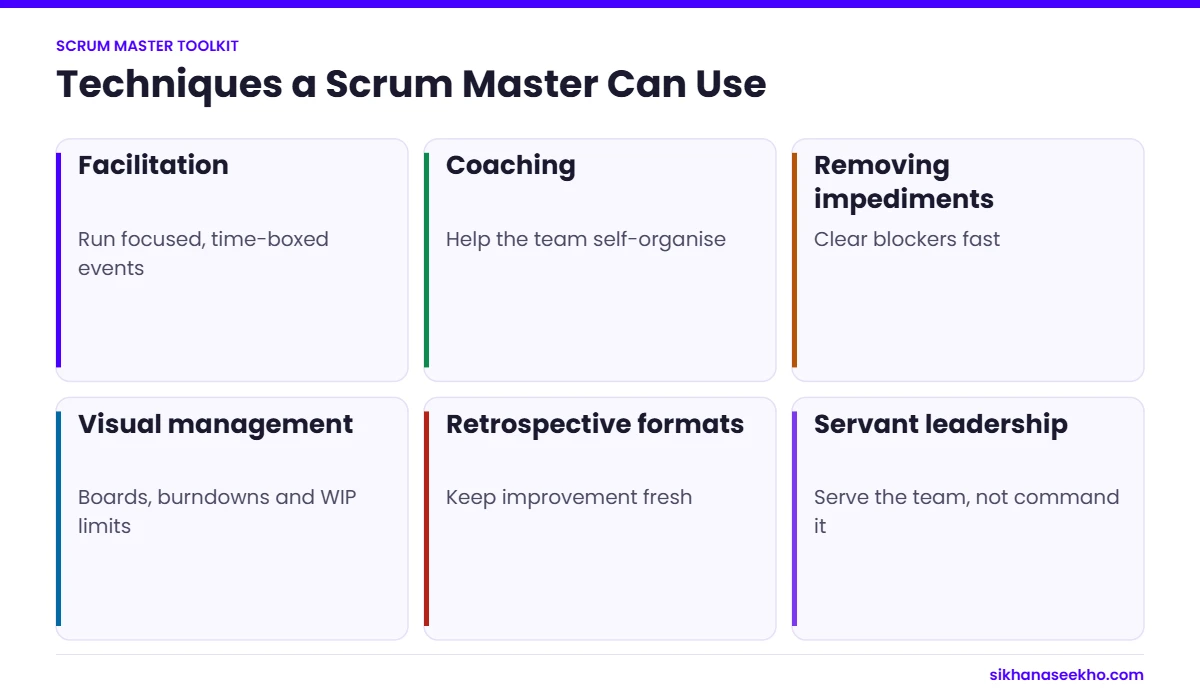
1. Facilitation Techniques
The Scrum Master makes sure Scrum events happen and stay useful. They do not have to run every meeting, but they help when needed. In practice this means active listening, asking open questions, making sure quiet people get a turn and keeping the event inside its time-box. Example: in a daily scrum that keeps turning into problem solving, the Scrum Master suggests taking the detail to a short follow-up straight after.
2. Conflict Resolution Techniques
Conflict is normal in any team. The Scrum Master does not pick a winner. They bring the people together, listen to both sides and help them find a solution they can both accept. For the PMP exam, remember that collaborating or problem solving is usually the best approach, and that the Scrum Master first lets the team try to resolve it themselves.
3. Coaching Techniques
Coaching means helping people find their own answers instead of giving orders. The Scrum Master coaches the developers, the product owner and the wider organisation. Useful tools are open questions, honest feedback and small goals. Example: instead of telling a developer how to split a big story, the Scrum Master asks “what is the smallest piece a user could test?”
4. Agile Planning Techniques
The product owner owns the product backlog, and the developers own the sprint backlog. The Scrum Master helps both with planning. They can introduce story mapping, relative estimation such as planning poker, and simple ways to rank items, such as MoSCoW. Example: if planning takes all day, the Scrum Master suggests regular backlog refinement during the sprint so planning starts with ready items.
5. Metrics and Reporting Techniques
The Scrum Master helps the team make progress visible. Common tools are burndown charts, burnup charts and velocity. Keep it light: a big visible board or a simple chart in your tool is enough. The goal is to help the team see where it stands, not to produce reports for management.
6. Continuous Improvement Techniques
The sprint retrospective is the main improvement tool. The Scrum Master helps the team look back honestly, pick one or two changes and follow them up next sprint. Other options include small improvement experiments and kaizen-style workshops when the problem goes beyond one team.
7. Agile Mindset Techniques
An agile mindset means valuing learning, openness and collaboration over blame and control. The Scrum Master teaches it mostly by example: admitting mistakes, asking for feedback, protecting the team from interruptions and celebrating learning, not just output.
How to answer this as an exam question
On the PMP exam you will see scenarios like this: “Two developers keep arguing in the daily scrum and the meeting runs 40 minutes. What should the Scrum Master do first?” Work through it like this:
- Rule out answers where the Scrum Master escalates to a manager or decides for the team.
- Rule out answers that ignore the problem, such as “let the meeting run longer”.
- Pick the facilitation or coaching answer: remind the team of the 15-minute time-box, and talk with the two developers after the meeting to understand the conflict.
The pattern is almost always the same: facilitate, coach, remove the blocker, and let the team own the outcome.
Scrum events and their time-boxes
| Event | Purpose | Time-box for a 1-month sprint |
|---|---|---|
| Sprint | Container for all other events | 1 month or less |
| Sprint Planning | Agree the sprint goal and plan | Up to 8 hours |
| Daily Scrum | Inspect progress towards the sprint goal | 15 minutes |
| Sprint Review | Inspect the increment with stakeholders | Up to 4 hours |
| Sprint Retrospective | Plan improvements to how the team works | Up to 3 hours |
Source: The Scrum Guide (2020). Shorter sprints usually have shorter events.
Facilitation techniques that work
Good facilitation keeps events short and useful. Start each event by restating its purpose and time-box. Use simple structures. In retrospectives, ask what helped, what hindered and what to try next. In planning, start from the sprint goal before breaking down items.
Make sure every voice is heard. Silent writing before discussion, round-robin sharing and anonymous voting help quieter team members contribute. In remote teams, a shared whiteboard does the same job.
End every event with clear outcomes: a sprint goal, a list of impediments to remove or 1 or 2 improvement actions with owners. If an event produces nothing actionable, change the format next time.
Coaching and conflict techniques
A Scrum Master coaches rather than directs. Questions such as “what options do we have?” and “what would make this easier?” help the team find its own solutions and own them.
When conflict appears, treat it as useful information. Bring the people involved together, focus on interests rather than positions, and agree a working agreement the whole team can support. Most team conflict is about unclear priorities, so bringing in the product owner early often solves it.
Model the behaviour you want: admit mistakes, ask for feedback and protect the team from interruptions during the sprint.
Metrics a Scrum Master can use
Velocity, the amount of work a team completes per sprint, helps with forecasting but should never be used to compare teams. Burndown and burnup charts show progress towards the sprint or release goal. Cycle time and work in progress, borrowed from Kanban, show how smoothly work flows.
Use metrics to start conversations, not to judge people. If velocity drops for two sprints, ask the team what changed. The Scrum Guide (2020) does not prescribe metrics, so choose the few that really help your team improve.
Techniques for the first 90 days
Days 1 to 30: observe and listen. Attend every event, meet each team member 1 to 1 and ask what helps and what hinders them. Agree a definition of done if one does not exist.
Days 31 to 60: improve the events. Tighten time-boxes, introduce a simple retrospective format and make the sprint goal visible on the team board. Start a list of impediments and remove the first 3.
Days 61 to 90: coach for ownership. Encourage developers to run the Daily Scrum themselves, help the product owner refine the backlog 1 to 2 sprints ahead, and introduce 1 metric such as a burnup chart that the team finds useful.
By the end of 90 days, the team should rely on you less for running events and more for removing obstacles and coaching. That is where a Scrum Master adds most value.
Remote Scrum techniques
For distributed teams, keep cameras optional but participation expected, use a shared digital board as the single source of truth, rotate who facilitates, and agree core overlap hours. Short written check-ins can replace some meetings across time zones, but keep the Daily Scrum live whenever at least 2 hours of overlap exist.
How do you know your techniques are working?
Look for 4 signs over 3 to 6 sprints: the team meets its sprint goal more often, events finish within their time-boxes, impediments are raised early and removed quickly, and retrospective actions actually get done. Ask the team for a quick 1 to 5 rating of each event every few sprints; rising scores show your facilitation is landing.
If scores fall, change the format rather than blaming the team. A fresh retrospective structure or a shorter planning session often brings the energy back.
Key takeaway
Start with facilitation and retrospectives. They build the habit of improvement that every other technique depends on. Add coaching, metrics and planning techniques as the team matures, and keep asking the team what helps them most.
Good Scrum Masters slowly make themselves less needed for running events. That frees them to work on the wider organisation: removing bigger impediments, coaching the product owner and helping other teams use Scrum well.
Which technique should a new Scrum Master start with?
Start with facilitation. If the events are short, focused and useful, the team trusts you, and every other technique becomes easier. Next, run honest retrospectives and make sure the agreed actions actually happen. Coaching, metrics and planning support come after that. Whatever you use, the test is the same: does it help the team deliver value and improve, without you taking control?
Scrum Master techniques: common questions
What does a Scrum Master do every day?
Helps the Daily Scrum happen when needed, removes impediments, coaches the team and product owner, and protects the team’s focus.
Is the Scrum Master a project manager?
No. The Scrum Master serves the team and the organisation by helping them use Scrum well. They do not assign tasks or own the scope.
How long should the Daily Scrum last?
15 minutes, according to the Scrum Guide.
Which certification helps a new Scrum Master?
CSM from Scrum Alliance and PSM I from Scrum.org are the most widely recognised.
Keep learning
- Agile Project Management Checklist
- Agile Project Management: Complete Guide for 2025
- Scrum Guide 2026: Roles, Ceremonies & Artifacts
- Waterfall Project Management: When to Use It & How
- Agile vs Waterfall 2026: Which Should You Choose?
- Hybrid Project Management: The Complete Guide for 2026